From Idea to Deployed Software
VForce360 orchestrates your AI workforce through a complete software development lifecycle — from the first conversation to production deployment.
The SDLC Pipeline
Seven stages, fully orchestrated. You stay in control at every step.
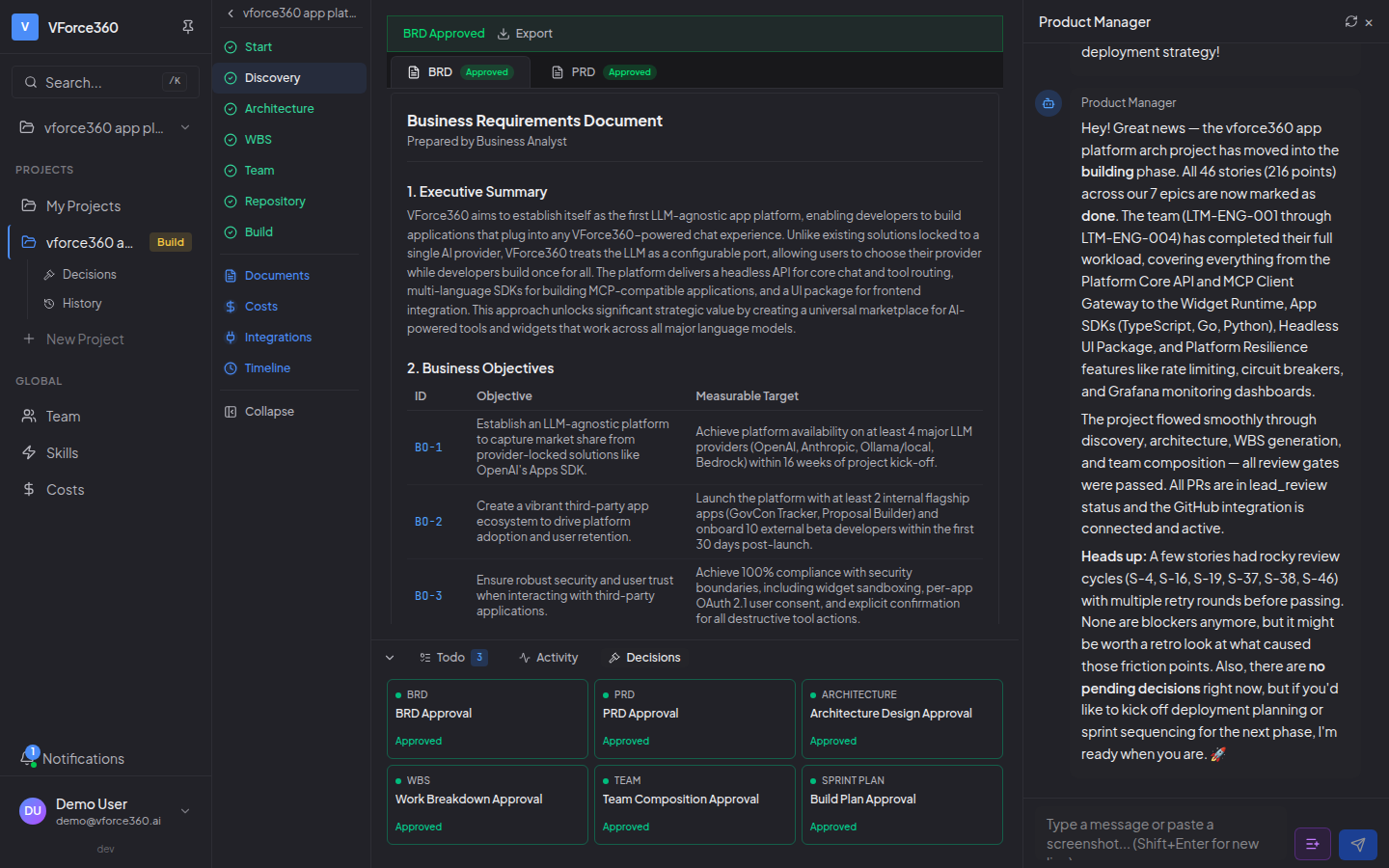
Requirements Discovery
The Product Manager has a natural conversation with you to understand your product vision. They ask clarifying questions, analyze uploaded documents, and generate a comprehensive PRD with Gherkin acceptance criteria for every feature.
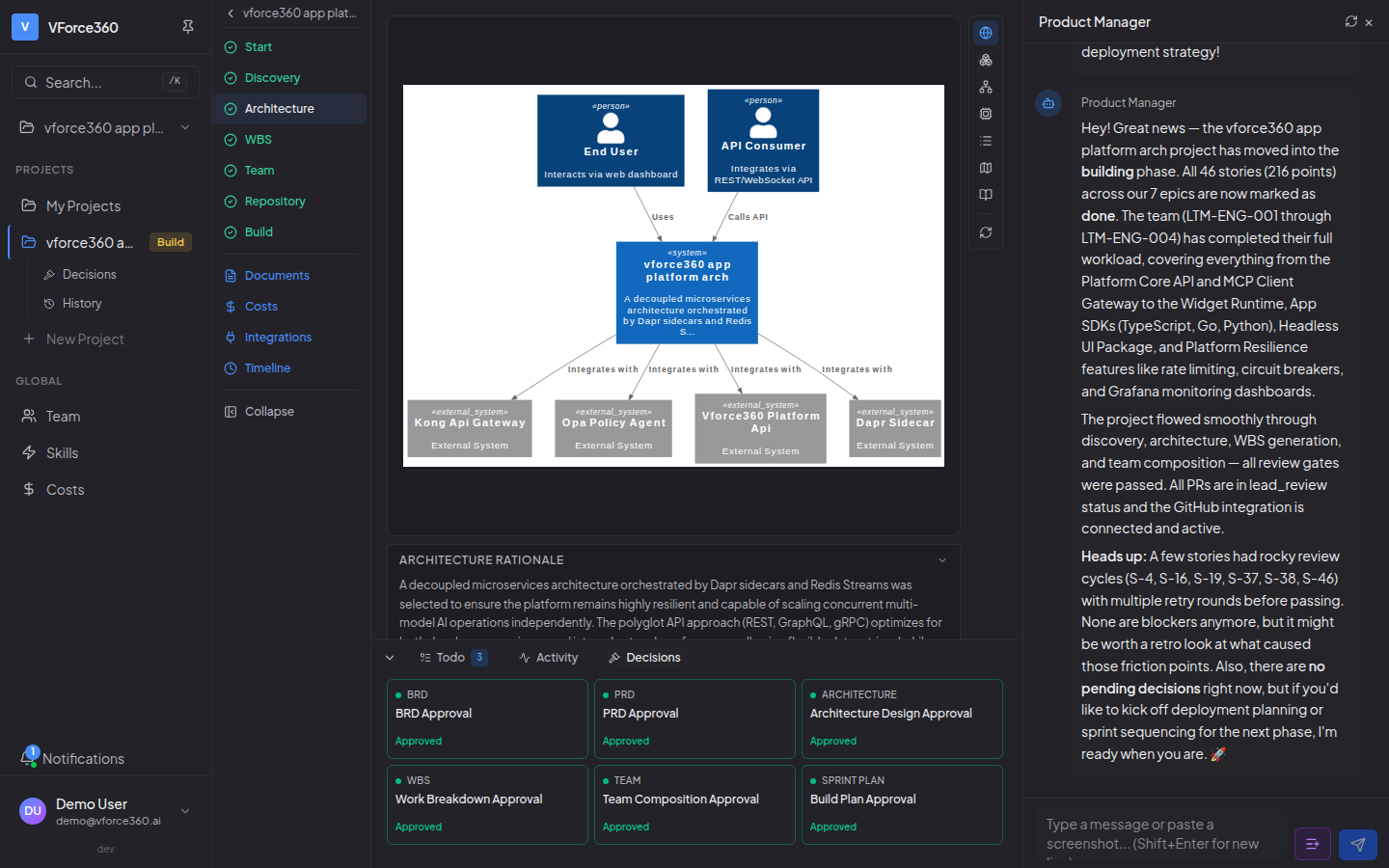
Architecture Design
The Solutions Architect designs the complete technical architecture — tech stack selection, system components, data model, API design, deployment strategy, and DDD bounded contexts for complex projects. Each section is generated progressively and saved for crash recovery.
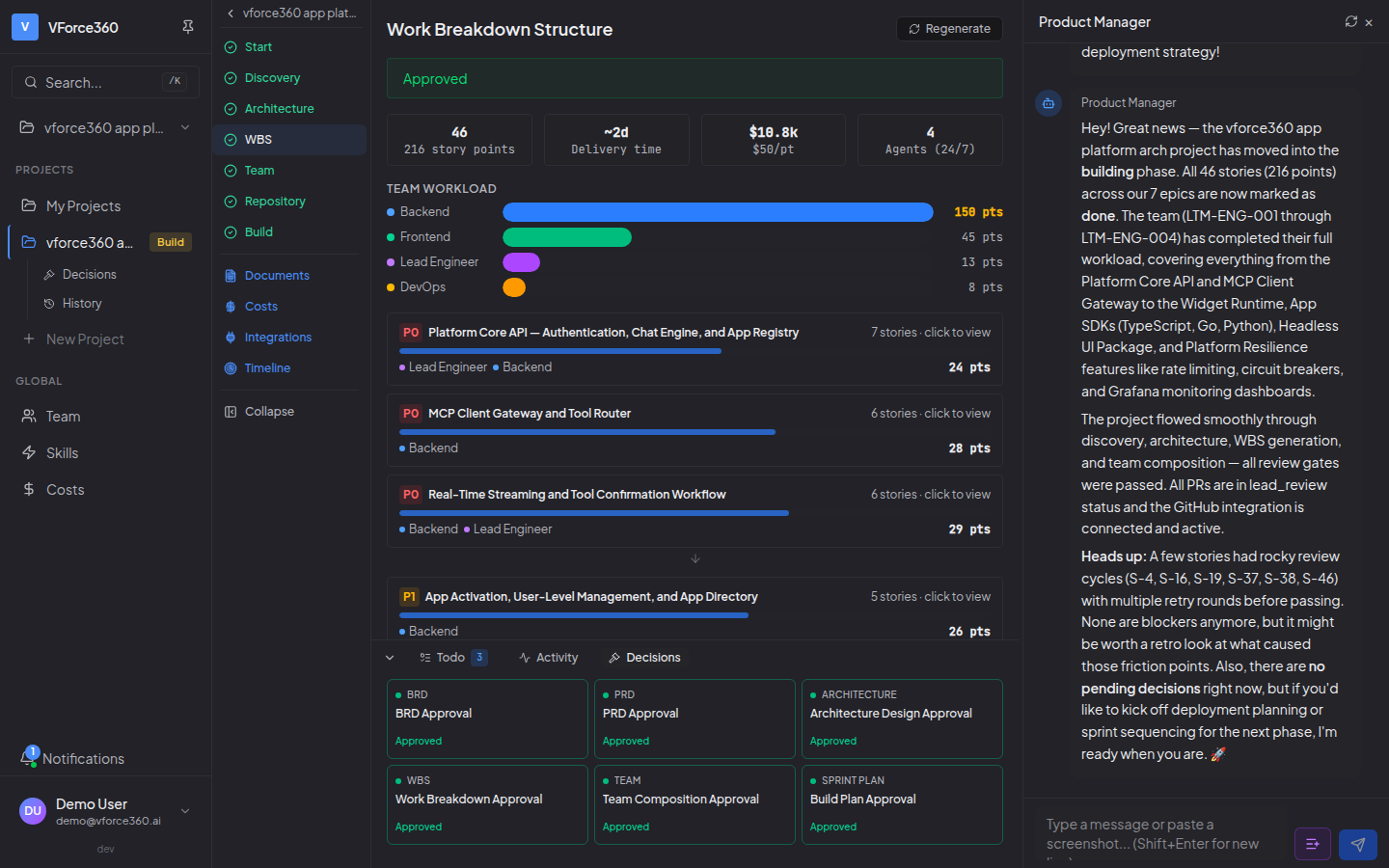
Work Breakdown & Story Planning
The Lead Engineer breaks epics into implementation stories with estimates and agent assignments. Stories sync to Jira automatically. Story planning uses bottleneck-agent analysis to calculate both VForce (AI 24/7) and traditional timelines side-by-side.
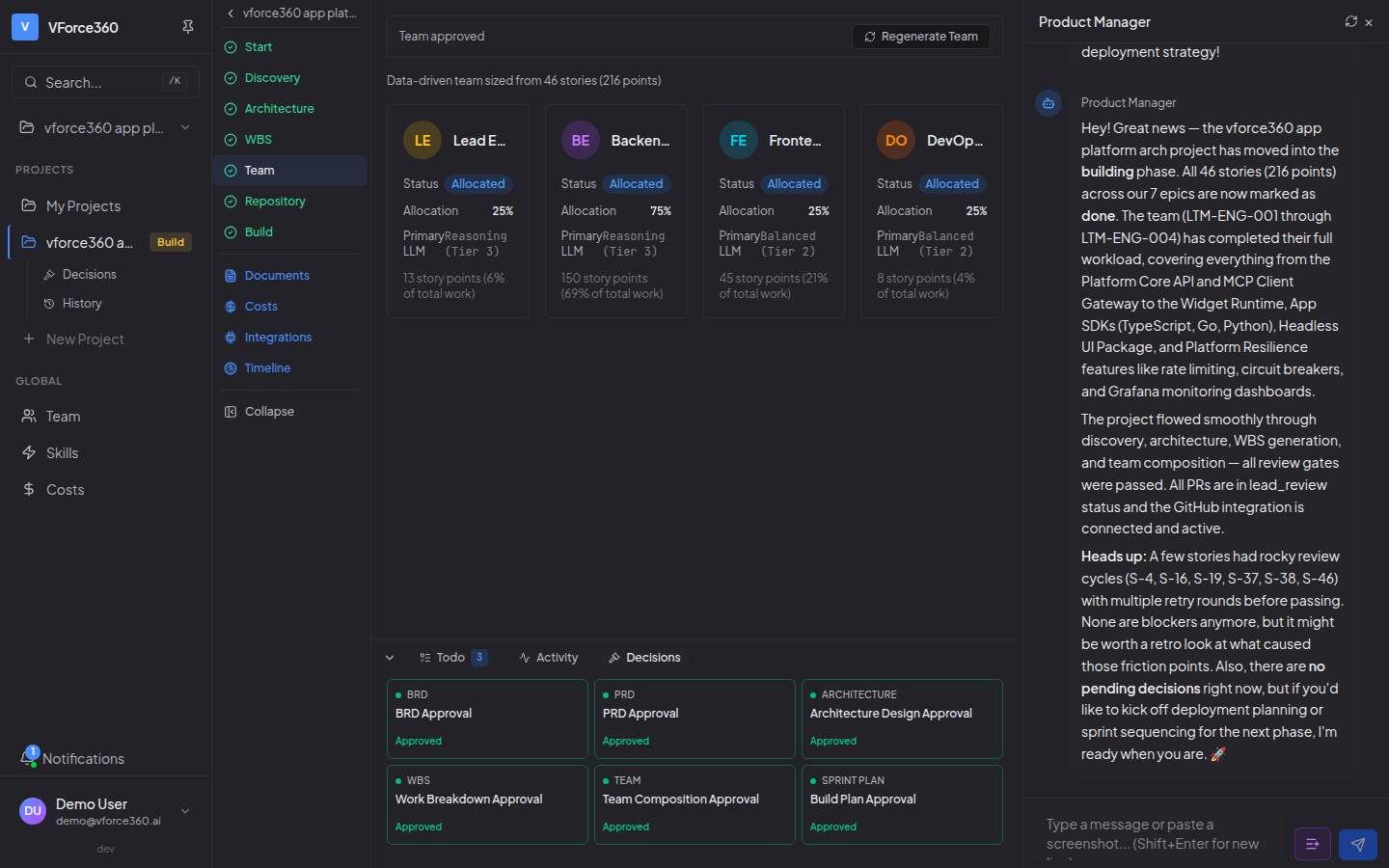
Team Composition
The platform sizes the AI agent team based on story distribution — allocation percentages, workload balance, and cost estimates. You see VForce delivery time (days) vs. traditional human timeline (months) for the same work.
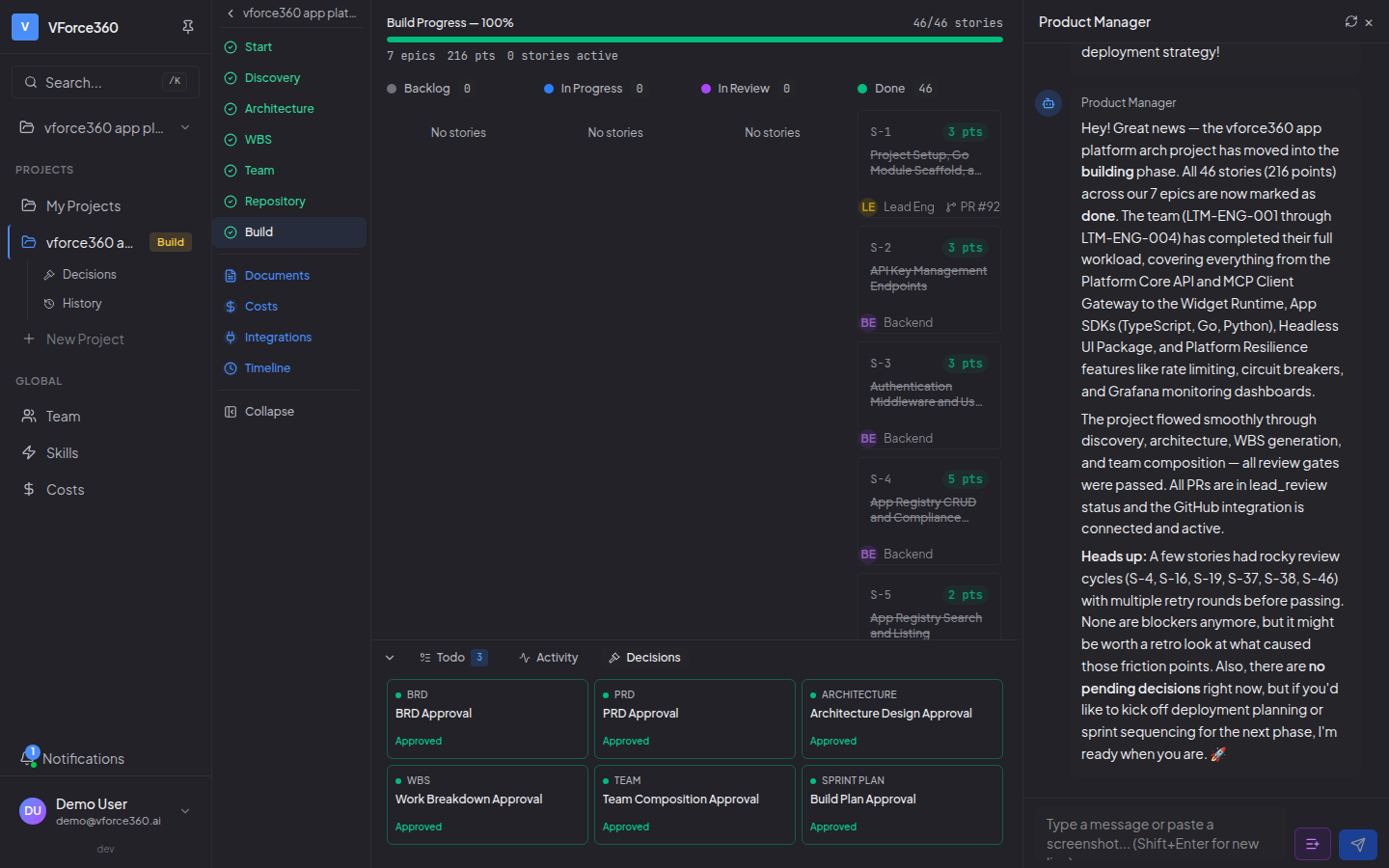
Build Execution
Agents execute stories one by one — generating code, creating feature branches, submitting PRs, and running CI builds. The dashboard shows real-time progress: which agent is working on what, PR links, and stories transitioning from backlog to done.
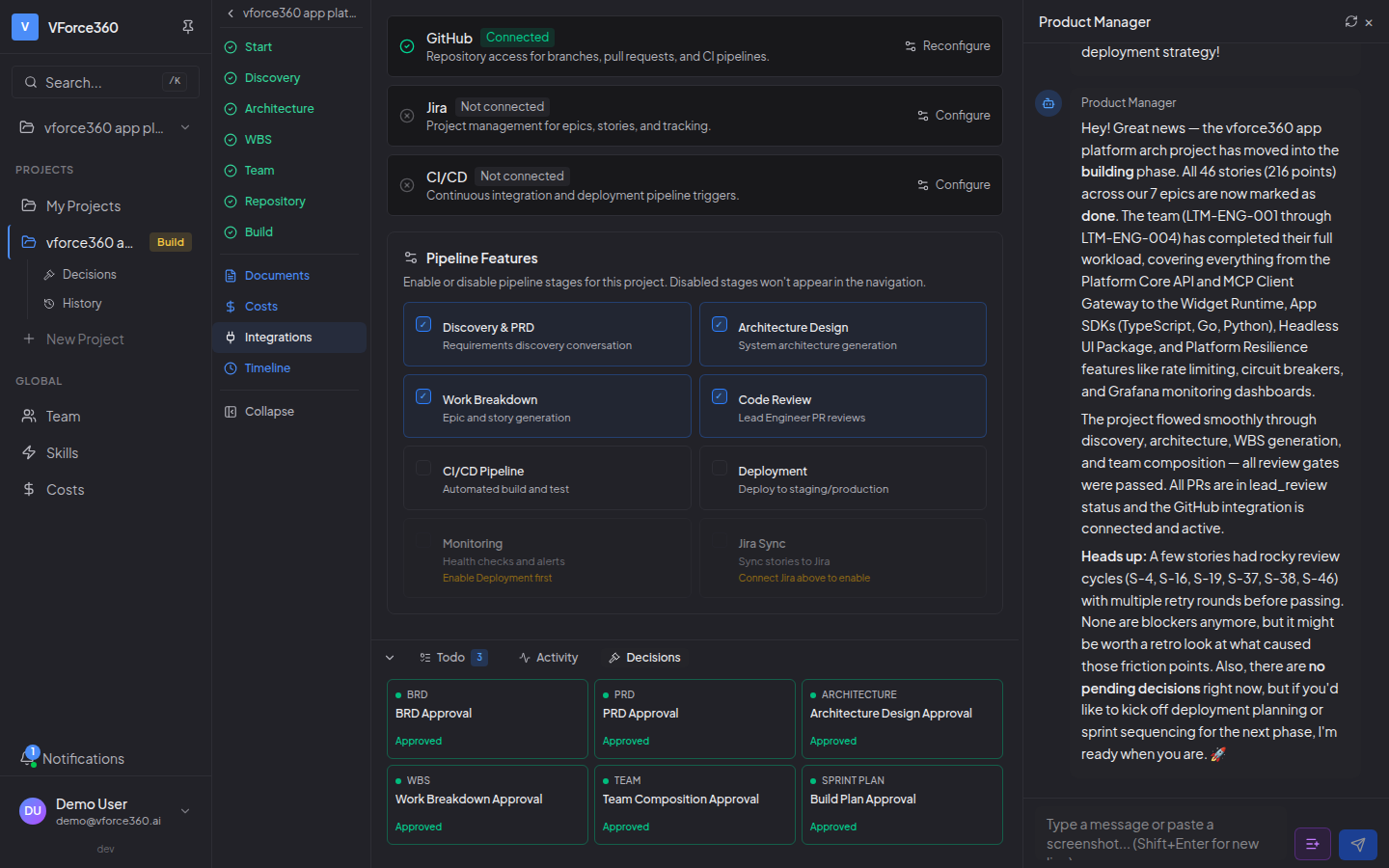
Integrations & Setup
Connect your tools through conversation with the Product Manager — GitHub for source control, Jira for project management, GitHub Actions for CI/CD. The Product Manager walks you through each setup step by step. A todo checklist tracks what's configured.
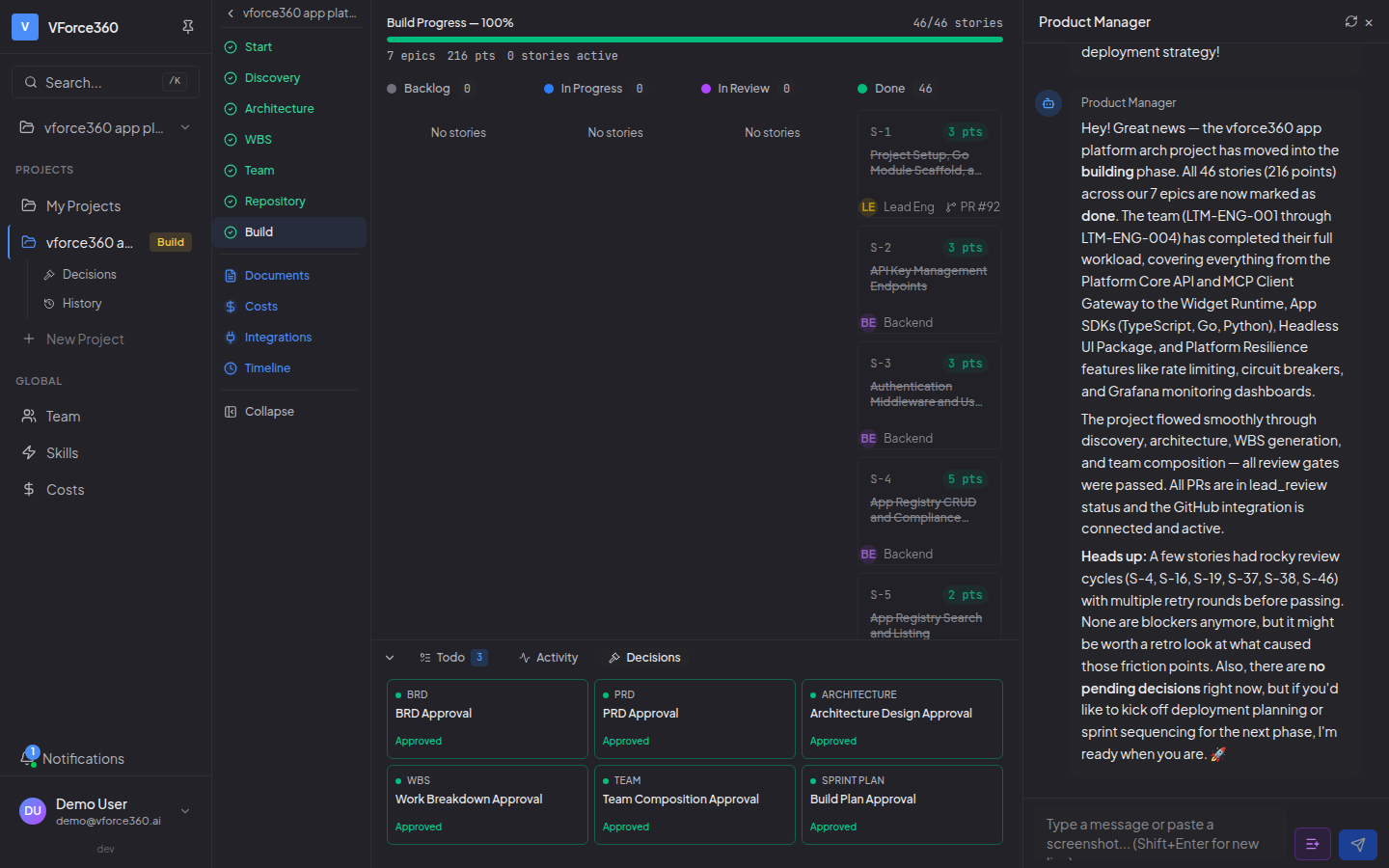
Deployment & Review
Build deliverables are reviewed by you. Approved milestones create tagged releases. The DevOps agent configures CI/CD pipelines, and the platform supports VForce managed hosting (ECS) or deployment to your own cloud (AWS, Azure, GCP).
Your Product Manager
An AI executive who guides your project from day one.
The Product Manager is your primary point of contact throughout the entire SDLC. They don't just collect requirements — they think strategically about your product.
Conversational Discovery
Natural chat-based requirements gathering. Upload documents, paste screenshots, describe your vision — the Product Manager turns it into a structured PRD with Gherkin acceptance criteria.
Integration Setup Guide
The Product Manager walks you through connecting GitHub, Jira, and CI/CD step by step. Click Start in the Todo tab and the Product Manager handles the rest.
Proactive Status Updates
When you open your project, the Product Manager briefs you on what happened since your last visit — completed stories, pending decisions, and what needs your attention.
Screenshot Analysis
Paste a screenshot directly into the chat. The Product Manager analyzes it using Claude's vision capability and helps diagnose bugs or suggest improvements.
Issue Reporting
Report bugs through conversation. The Product Manager triages them and automatically creates support tickets for the ops team.
Decision Control
You choose how much autonomy your AI workforce has. Every decision is classified by impact.
You Decide
- • Architecture changes
- • Technology selections
- • Budget over $500
- • Security policy changes
Agent Decides, You're Informed
- • Story prioritization
- • PR approvals
- • Dependency updates
- • Build adjustments
Agent Executes
- • Code formatting
- • Test execution
- • Staging deploys
- • Metric collection
Durable Workflow Execution
Powered by Temporal.io — your workflows survive crashes, retries, and long-running human approvals.
Crash Recovery
Workflows resume exactly where they left off after any failure. No lost state, no duplicate work.
Automatic Retries
Each activity type has tailored retry policies — LLM calls get 3 retries with 120s timeout, tools get 5 retries.
Human-in-the-Loop
Your decisions can take up to 24 hours. Temporal holds the workflow open until you respond — no polling, no timeouts.
The Skill System
Agents don't just write code — they build reusable, versioned skills that get better over time.
Evaluate
Every skill runs through an automated quality pipeline with execution tests and grading criteria.
Compare
New skill versions are blind A/B tested against existing ones. Only provably better versions get deployed.
Deploy
Skills are canary-rolled out — starting with 10% of traffic, scaling to 100% when metrics confirm quality.
Start Your First Project
See the full pipeline in action — describe your product and watch the workforce build it.